OMG! I finally received my DJI Mavic Pro 2. (Evil laugh hahahaha) OK let me paint the picture for you. 2017 my family and I were living in South Korea and I ordered a Mavic Pro (one… maybe?) and after 5 months it NEVER showed up. I had to sadly cancel the order. OH, man what videos I could have filmed with that drone. Well, I pouted for a while and did not order another one. This brings us to the release for the Mavic 2. I had to have it!
The NO
Mary said NO we are spending $1500 for a drone. So I did the puppy face, didn’t work. I may have cried (in a manly way) that didn’t work. Next I created a three prong attack, first PowerPoint with all the Pros of how we can tell better stories and grow our audience, second I watched tons of drone footage on YouTube on the big screen (she may have been doing something else but when a great part came on I would have her watch) and third, every time we were fishing, hiking, or just looking at a great scenery I would make little comments of how cool it would be if we had a drone to capture it.
The Yes
Like, when I proposed, she said YES! Truthfully, it was more like “Fine, but you can’t buy anything else.” … well I kind of got the Mavic 2 Fly More Kit and the Osmo 2 and a National Geographic’s backpack. He-he. So please like and subscribe and share! I need to show the value quickly.
The Mavic
OK, let us talk about getting the drone. Two weeks, it took two long arduous weeks!!!! I followed it like a crazy person on the FedEx app. It arrived a day early, hurray! Boy the FedEx delivery guy thought he was Santa Claus the way I signed for the package. Gabriel asked “What is it dad?” I yelled over my shoulder as I ran into my bedroom, “Don’t worry about it!” Looking back, I may have acted like a child but who is going to know? We did the unboxing, it was our first ever unboxing and depending on how I edit it I may post it. It is SO cool! I may be a tech nerd, but even Mary is excited about the new possibilities.

Surviving
What was not cool however, was all the battery charging, firmware updates and software updates on the Mavic, Osmo, and the controller. Oh and the few times it wouldn’t update and I had to troubleshoot it (had to use DJI Assistant on the computer). It took me about 2 HOURS to complete the updates!
Once all that was finished we went outside for the maiden flight. SO COOL! (have I said that before?) It was scary because this thing is fast, oh and it’s my first time flying a drone! I did not break anything so WIN! As of right now I am studying hard on the best setting and how to best edit the footage. I did not get the ND filters because they don’t come out until the 22nd of September so I have make do.
Again, please like, share, and subscribe. You will be helping me get cooler toys; I mean tools to bring you a better story. 🙂
What the DJI Mavic 2 Pro Actually Does
The Mavic 2 Pro is the version of the Mavic 2 with the Hasselblad camera — a 1-inch CMOS sensor capable of shooting 4K video at up to 60fps and 20-megapixel stills. For anyone documenting family travel, that camera specification matters: the 1-inch sensor performs dramatically better in low light than the smaller sensors on cheaper drones, and the Hasselblad color science gives footage a richness that is immediately obvious when you edit. The drone folds flat to about the size of a water bottle, which makes throwing it in a backpack for a hike completely practical.
The Fly More Kit that David also picked up (and did not fully disclose to Mary immediately) adds two extra batteries, a charging hub, ND filter set, carrying bag, and car charger — everything you need to actually use the drone in the field without running out of power after one flight. Each battery gives about 25 to 31 minutes of flight time. Having three is the difference between a productive outdoor session and packing up frustrated after one take.
Firmware Updates and the Setup Reality
One thing the unboxing videos on YouTube do not emphasize enough: the setup process for a new DJI drone is a test of patience. Two hours of firmware updates for the drone body, the controller, and the Osmo, with multiple troubleshooting sessions using DJI Assistant on the computer when updates stalled. This is real. Budget an afternoon before your maiden flight, not twenty minutes.
Once everything was updated and configured, the DJI Go 4 app experience is genuinely excellent. The live camera feed on the controller’s connected phone gives you a real-time view, the obstacle avoidance sensors actually work, and the automated flight modes (ActiveTrack, Hyperlapse, QuickShots) produce professional-looking footage that would take serious skill to replicate manually. For first-time drone pilots, these automated modes reduce the learning curve dramatically.
What We Have Filmed With It
The Mavic 2 Pro has been on hikes, road trips, and beach days with us since we got it. The footage it generates has elevated the quality of our YouTube content in a way that no other single piece of equipment could have matched. Aerial shots of Pennsylvania’s rolling hills, our family at the base of waterfalls, flyovers of destinations that we could not have shown properly any other way — the drone adds a visual language to storytelling that ground-level cameras simply cannot provide.
The Osmo 2 that David also acquired (the stabilized handheld camera) pairs naturally with the drone footage — smooth ground-level shots edited together with aerial perspectives from the Mavic creates a production quality that most family travel bloggers do not reach without significantly more expensive setups. The total investment (drone, Fly More Kit, Osmo, National Geographic backpack) was roughly $2,000 — a number that sounded large but has returned its value in content quality many times over.
Drone Rules and Where You Can Fly
Before you fly anywhere, know the rules. In the US, drones under 250 grams do not require FAA registration; the Mavic 2 Pro weighs 907 grams and does require registration ($5 online at the FAA DroneZone website). You must stay below 400 feet AGL (above ground level), stay away from airports and restricted airspace, and keep the drone within visual line of sight. The DJI app integrates with airspace maps and will warn you (and in restricted zones, prevent you from flying) when you are near controlled airspace.
National Parks prohibit drone flight without a permit — this catches a lot of people off guard. State parks vary by state. Beaches, open fields, and private property with permission are the most reliable locations. When in doubt, check the B4UFLY app (free, from the FAA) before you head out.
Tips for First-Time Drone Owners
- Register with the FAA before your first flight. Do not skip this. It is fast, cheap, and required.
- Do your first flights in a wide open space with no trees, people, or obstacles. Obstacle avoidance is good but not infallible.
- Learn the Return to Home function before you need it. This is the button that brings the drone back automatically if you lose signal or battery gets low.
- ND filters matter. The Mavic 2 Pro without ND filters in bright sunlight will produce overexposed or motion-blurred footage. The Fly More Kit filter set was one of the best parts of that bundle.
- Update firmware at home, not in the field. Learn from David’s two-hour experience.
The Mavic 2 Pro was a significant purchase that required a significant campaign to justify. Looking back, every phase of that campaign was worth it. The PowerPoint, the YouTube rabbit hole on the big screen, the pointed comments at scenic overlooks — all justified. Mary would probably agree at this point. The content speaks for itself.
Traveling Internationally with a Drone
One of the most important things we learned quickly after getting the Mavic 2 Pro is that drone laws vary dramatically by country, and the consequences of getting it wrong range from confiscation to serious legal trouble. Before any international trip where we plan to bring the drone, we research the drone laws of the destination country specifically. Some countries require permits that must be obtained weeks in advance. Some prohibit drones entirely or require registration with local aviation authorities. A few countries confiscate drones at the border regardless of intended use.
Within the US, the process is simpler: register with the FAA online, download the B4UFLY app, and check TFR notices for your destination before you leave. The DJI app itself integrates airspace data and will display warnings for restricted or controlled zones, but this should be treated as a supplement to your own research rather than a primary source. The app is not always current and does not account for local ordinances that may restrict drone use at specific parks or beaches.
For packing, the Mavic 2 Pro fits neatly into the National Geographic backpack that David acquired with the rest of the kit. The drone body, controller, three batteries, charging hub, and ND filter set all fit in a single carry-on sized bag. We never check the drone as luggage — lithium batteries must travel in carry-on baggage on most airlines, and we prefer to keep the equipment with us anyway. The carrying case has foam inserts that protect the drone even in overhead bin conditions.
Editing and Publishing Drone Footage
The raw footage from the Mavic 2 Pro in D-Log color profile looks flat and gray straight out of the drone. This is intentional: D-Log preserves the maximum amount of dynamic range in the file, giving you more latitude in post-processing to adjust exposure, contrast, and color without degrading quality. If you plan to use the footage straight from camera without editing, shoot in the standard color profile instead. The results look good immediately and require no additional processing.
For editing, David uses DaVinci Resolve for color grading the drone footage and combines it with GoPro and Osmo footage in the same timeline. The 4K files from the Mavic 2 Pro are large — budget about 1 gigabyte of storage per 3 minutes of footage at maximum quality settings. A fast external SSD drive is a worthwhile investment if you plan to edit drone footage regularly. DaVinci handles the Mavic files natively without needing to transcode first, which saves significant time in the editing workflow.
Is the DJI Mavic 2 Pro Worth It for Family Content Creators?
The honest answer is: yes, if you are consistent about using it and taking the time to learn it properly. The Mavic 2 Pro is not a point-and-shoot device. It rewards the time you invest in understanding the camera settings, flight modes, and post-processing workflow. The families and creators who get the most out of it are the ones who bring it on every outing and treat it as a core part of their content toolkit rather than an occasional novelty.
For Surviving Adventures, the drone has been most valuable for destination content where aerial perspective genuinely adds something: coastlines, mountain hikes, wide open landscapes. It is less useful in cities where drone laws are restrictive and the most interesting visual elements are ground-level. Knowing when to bring it and when to leave it at home is part of using it effectively. The times we have had it and used it well have produced some of the best footage we have ever captured as a family, and looking back, every phase of the campaign to convince Mary was absolutely worth it.
If you are on the fence about whether to invest in a drone for your family content, our suggestion is to start with a simulator. DJI and several third-party apps offer free flight simulators that let you practice using the controller before you ever put the actual drone in the air. Thirty minutes in a simulator will tell you quickly whether flying a drone is something you want to invest the time in learning. For David, the answer was obviously yes. The Mavic 2 Pro has become a fixture of every outdoor trip we take, and the aerial perspective it adds to our storytelling is something we would not want to give up now that we have experienced it.

2PCS Cabin Air Filter with Activated Carbon for Tesla Model 3 (2017-2026), Model Y (2020-2026), OE# 1107681-00-A, CF12774, XC11952C, CF774
$16.99 (as of October 21, 2026 17:49 GMT -08:00 - More infoProduct prices and availability are accurate as of the date/time indicated and are subject to change. Any price and availability information displayed on [relevant Amazon Site(s), as applicable] at the time of purchase will apply to the purchase of this product.)
Amazon Basics Microfiber Cleaning Cloths, Ultra Absorbent, Lint Free, Streak Free, Non-Abrasive, Reusable and Washable, 16" x 12", Blue/White/Yellow, Pack of 24
$10.04 (as of October 21, 2026 17:49 GMT -08:00 - More infoProduct prices and availability are accurate as of the date/time indicated and are subject to change. Any price and availability information displayed on [relevant Amazon Site(s), as applicable] at the time of purchase will apply to the purchase of this product.)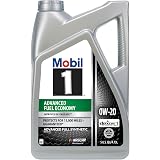
Mobil 1 Advanced Fuel Economy Full Synthetic Motor Oil 0W-20, 5 Quart | Enhanced Fuel Economy | 10,000-Mile Protection | Triple Action Formula
$31.97 (as of October 21, 2026 17:49 GMT -08:00 - More infoProduct prices and availability are accurate as of the date/time indicated and are subject to change. Any price and availability information displayed on [relevant Amazon Site(s), as applicable] at the time of purchase will apply to the purchase of this product.)
Drift Car Air Freshener - The Original Wood Air Freshener - Car Odor Eliminator - Long Lasting Scent - Auto Accessories - Metal Clip - Essential Oils - Clean Ingredients - Teak Scent Starter Kit
$12.95 (as of October 21, 2026 17:49 GMT -08:00 - More infoProduct prices and availability are accurate as of the date/time indicated and are subject to change. Any price and availability information displayed on [relevant Amazon Site(s), as applicable] at the time of purchase will apply to the purchase of this product.)